Managed Services
Managed IT Services Karachi: A Complete Guide for Businesses
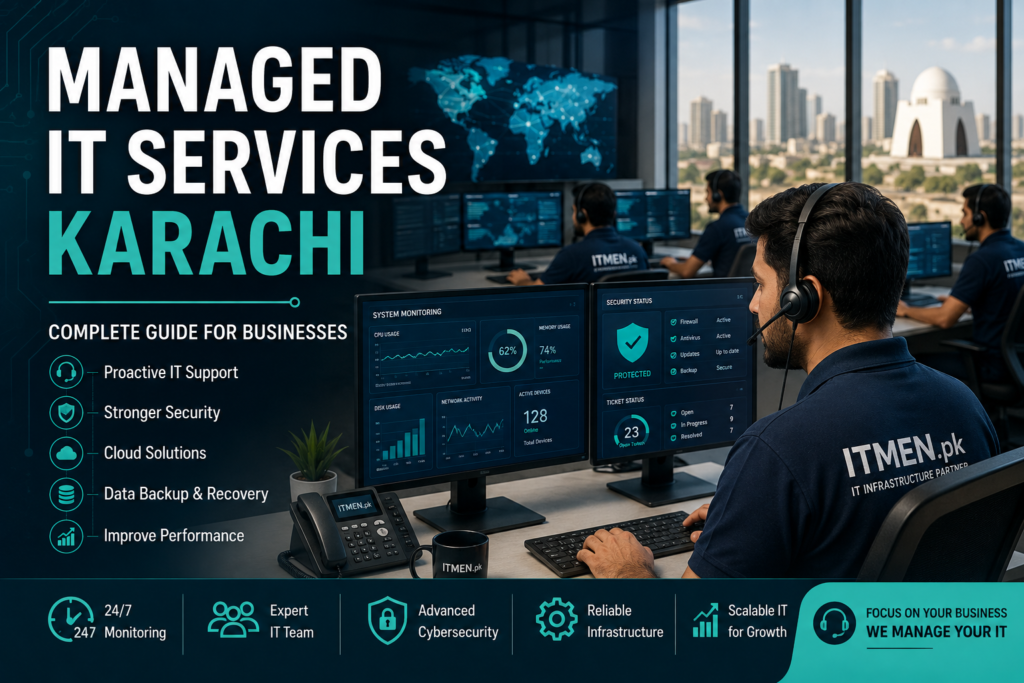
Managed IT services are ongoing technology services delivered by a third-party provider under an agreed contract. Instead of waiting for computers, networks, or cloud systems to fail, the provider monitors, maintains, secures, and supports them proactively. For Karachi businesses, this model can combine remote assistance with local on-site support.
Technology supports email, accounting, production, customer service, sales, and data storage. When systems become unreliable, work slows down. A managed IT services company helps a business handle these responsibilities through a planned service model rather than irregular emergency repairs.
What Are Managed IT Services?
Managed IT services are IT functions that a business outsources to a managed service provider, commonly called an MSP. CISA describes MSPs as organisations that deliver, operate, or manage information and communications technology services and functions for customers.
The scope can include infrastructure, software, platforms, support, security, or selected business technology processes. business and provider agree on what will be managed, when support is available, how requests are handled, and which performance measures apply. These commitments are normally recorded in a contract and service level agreement, or SLA.
Managed services may cover the full IT environment or selected areas. A small company may outsource almost everything. A larger organisation may use co-managed IT, where an external team works alongside internal staff.
How Do Managed IT Services Work?
The relationship usually starts with an assessment of devices, networks, cloud accounts, security controls, backups, software, vendors, and recurring problems. This creates a baseline.
After onboarding, the provider installs approved management tools, documents the environment, applies agreed policies, and creates support procedures. The service then runs as an ongoing cycle:
- Monitor systems, devices, network performance, and security alerts.
- Maintain software, configurations, user access, backups, and infrastructure.
- Respond to user requests and technical incidents.
- Report on performance, risks, and recommended improvements.
- Plan upgrades as the business grows.
This differs from calling a technician only after something breaks. Managed IT support is designed around continuous oversight and prevention, although no provider can promise that every incident will be avoided.
What Is Included in Managed IT Services?
The scope varies by provider and package. Confirm every inclusion in writing rather than assuming a broad service name covers everything.
| Service Area | Typical Activities | Business Purpose |
|---|---|---|
| Help desk | Troubleshooting, account assistance, and software support | Restore employee productivity |
| Network management | Monitoring routers, switches, Wi-Fi, firewalls, and internet performance | Improve connectivity and stability |
| Device management | Inventory, configuration, updates, antivirus, and policy enforcement | Keep endpoints controlled |
| Cybersecurity | Access controls, MFA, patching, endpoint protection, and alert review | Reduce preventable exposure |
| Cloud management | Microsoft 365, Google Workspace, permissions, infrastructure, and cost review | Keep cloud services organised |
| Backup and recovery | Backup monitoring, retention checks, restore tests, and recovery planning | Support business continuity |
| Infrastructure support | Server health, capacity, maintenance, and troubleshooting | Maintain critical systems |
| Vendor coordination | Working with ISPs, software vendors, and suppliers | Reduce management burden |
| IT planning | Roadmaps, budgets, lifecycle planning, and risk reviews | Align technology with business goals |
NIST advises small businesses to use measures such as multi-factor authentication, timely software updates, and structured cybersecurity risk management. These controls are often part of mature managed services, but they should be verified in the proposal and SLA. Managed IT Support vs Break-Fix IT Support
Break-fix support is reactive. The business contacts a technician after a fault appears and usually pays for the repair, visit, or project. Managed IT support is ongoing: the provider manages an agreed scope and normally performs preventive maintenance, monitoring, documentation, support, and planning.
| Model | Best Description | Main Strength | Main Limitation |
| Break-fix | Pay when a problem occurs | Useful for occasional needs | Action usually starts after disruption |
| Fully managed IT | Provider manages most IT functions | Broad coverage and one accountable partner | Requires careful vendor governance |
| Co-managed IT | Internal and external teams share work | Adds skills and capacity | Roles must be clearly divided |
| In-house IT | Employees manage technology | Direct control and business knowledge | A small team may lack specialist depth |
The right choice depends on business size, risk, internal skills, operating hours, and technical complexity.
Why Karachi Businesses Consider Managed IT Services
Karachi is Pakistan’s main commercial and financial centre, with organisations across manufacturing, finance, logistics, retail, healthcare, education, and professional services. e businesses often depend on stable connectivity, secure access, cloud platforms, and support across offices or branches.
A local provider can also complete work that cannot be handled remotely, such as network installation, cabling, hardware replacement, Wi-Fi surveys, firewall deployment, and data-centre tasks. Local knowledge may help when coordinating with internet providers, facilities teams, and technology vendors.
ITMEN.pk states that its portfolio includes cloud computing, cybersecurity, data-centre infrastructure, cloud-managed Wi-Fi, internet bandwidth management, signal boosters, CCTV, and wider IT infrastructure support. Benefits of Managed IT Services for Businesses
Proactive maintenance
Monitoring can reveal failed backups, low storage, expiring licences, unusual device behaviour, or network congestion. Early action may stop a minor issue from becoming a larger interruption.
Broader technical skills
One employee rarely specialises in networks, cloud systems, cybersecurity, backup, hardware, and user support. A provider can offer access to a wider team, subject to the people and skills assigned to the account.
Clearer budgeting
Many agreements use a recurring fee based on users, devices, locations, or scope. Routine support may become easier to forecast, but projects, hardware, licences, and out-of-scope work can still cost extra.
Better documentation
A mature provider should maintain asset records, network diagrams, support history, backup status, and service reports. The SLA should define response targets, escalation paths, responsibilities, and exclusions.
Support for growth
Managed IT services for businesses can create a repeatable process for adding users, configuring devices, opening branches, extending networks, and reviewing capacity.
Is Managed IT Right for Your Business?
Managed services may be suitable when employees lose time to repeated issues, no one owns IT, backups are not tested, patching is inconsistent, cloud permissions are poorly managed, internal staff are overloaded, or the company is expanding.
A business with a simple environment may need only limited support. The goal is not to outsource every task; it is to assign each responsibility to the team best able to manage it.
How Much Do Managed IT Services Cost in Karachi?
There is no reliable single price for every business. Cost commonly depends on:
- users, devices, servers, and locations;
- support hours and on-site coverage;
- cybersecurity and compliance needs;
- cloud platforms and applications;
- backup volume and recovery targets;
- infrastructure age and complexity;
- SLA response targets;
- included licences and tools;
- onboarding or remediation work.
Pricing may be per user, per device, fixed monthly, tiered, or customised. Request a written breakdown of recurring fees, one-time costs, included tools, exclusions, and out-of-scope rates. Do not choose on monthly price alone.
How to Choose a Managed IT Services Company
Begin with critical systems, operating hours, recurring problems, internal skills, security requirements, and growth plans. Then ask each provider:
- Which services are included, optional, or excluded?
- Who owns the data, documentation, configurations, and licences?
- What are the response targets for each priority?
- How are after-hours incidents handled?
- How is privileged provider access secured and logged?
- How are backups monitored and restores tested?
- Is on-site support available across Karachi?
- Do subcontractors or third parties receive access?
- Which reports and review meetings are included?
- What happens when the contract ends?
CISA recommends careful MSP assessment because providers may have privileged access to customer systems and data. It advises clear discussions about responsibilities, access, logging, continuity, and contract terms before signing. Red Flags to Avoid
Be cautious when a provider offers no written scope, cannot explain its security controls, lacks an escalation process, or keeps essential documentation under its sole control. Other warning signs include shared administrator accounts, unclear backup ownership, unlicensed tools, unsupported software, and difficult exit terms.
Cloud services also require clear roles. Microsoft explains that moving to the cloud does not transfer every security duty to the cloud provider; customer responsibilities vary by service model and configuration. What Does Managed IT Onboarding Look Like?
A structured onboarding process commonly includes:
- Discovery: Review users, devices, applications, networks, vendors, and priorities.
- Documentation: Build asset, access, and network records.
- Risk review: Identify unsupported systems, weak controls, and backup gaps.
- Tool deployment: Install approved monitoring and support tools.
- Remediation: Prioritise urgent fixes and long-term improvements.
- Handover: Explain support channels, reporting, and escalation.
The business should receive important documentation and retain control of its accounts and data.
Why Consider ITMEN.pk for Managed IT Services Karachi?
ITMEN.pk positions itself as a Karachi-based IT infrastructure partner. Its published portfolio covers cybersecurity, cloud computing, cloud-managed Wi-Fi, internet bandwidth management, and data-centre infrastructure. It also lists solutions for manufacturing, offices, retail, education, and healthcare. uest a tailored assessment and written scope based on your users, locations, systems, support hours, and security needs. Compare service levels, responsibilities, exclusions, and transition terms before deciding.
Frequently Asked Questions
What is a managed service provider?
A managed service provider is a third-party company that operates or manages agreed IT services for a customer. It may handle networks, devices, cloud systems, cybersecurity, backups, user support, or selected functions.
What is the difference between managed IT services and IT support?
IT support often means solving user or technical problems. Managed IT services normally add ongoing monitoring, maintenance, security, documentation, reporting, and planning under a continuing agreement.
Can managed IT services work with an internal IT team?
Yes. Co-managed IT can add specialist skills, monitoring, projects, after-hours coverage, or help-desk capacity. The two teams should document their responsibilities.
Are cybersecurity services included?
Sometimes, but not automatically. Confirm the endpoint tools, patching, firewall monitoring, identity controls, alert handling, incident response, and exclusions in writing.
Do managed IT services include on-site support in Karachi?
Many local providers combine remote and on-site support, but coverage areas, hours, visit limits, and charges vary. Check whether visits are included or billed separately.
Does moving to the cloud remove the need for IT management?
No. Customers still have responsibilities for identities, access, data, devices, and configurations, depending on the cloud model. An MSP can help manage these duties. How long does onboarding take?
It depends on business size, locations, documentation, existing problems, and required remediation. The provider should supply a phased plan after discovery.
What should an SLA include?
An SLA should define service hours, priorities, response targets, escalation, maintenance, reporting, exclusions, customer responsibilities, and service reviews.
Conclusion
Managed IT services replace irregular, reactive support with an ongoing and clearly defined service relationship. The model can include help-desk support, monitoring, cybersecurity, cloud management, backups, vendor coordination, and strategic planning.
For businesses comparing Managed IT Services Karachi providers, the best decision starts with a clear scope. Review security, support coverage, documentation, SLA terms, and exit arrangements before signing. Request a tailored assessment through the ITMEN.pk contact page, and read more about the benefits of managed IT services for Pakistani SMEs.